


Brightest Flashlight Launcher
4.314.65K Reviews
App Specs
- Version
- 4.2.0
- Updated On
- License
- Free
- Downloads
- 5,000,000+
- Developer
- AtomApplications
- Categories
- Tools
- Platform
- Android
Screenshots
 Analysis by AppCompare
When I need a quick light, I care less about a packed feature list than about getting the torch on without hunting through menus. Brightest Flashlight Launcher is built around that simple job, and its appeal is clearest when you want a basic tool ready for an ordinary dark corner, a dropped item, or a brief power cut. It is a free Android tools app from AtomApplications, rated for Everyone, and its average rating is 4.3 from around 26,000 ratings. That level of interest makes it easy to understand why people try it, though the best reason to keep it is practical convenience rather than spectacle.
What “fast” means for a flashlight app
The key speed question is not how bright a phone light can be in theory; it is how quickly you can reach the control when you are already in the dark. This app keeps the main action prominent, so there is little to interpret once it is open. In my view, that directness is its strongest performance quality: fewer decisions between noticing a problem and getting light on it.
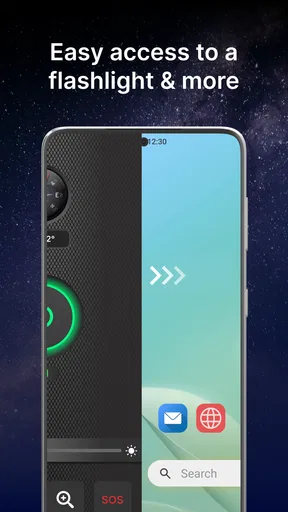
There is an important distinction between opening the app and having a flashlight shortcut available from somewhere else on your phone. If you routinely need light while carrying groceries, climbing stairs, or looking for a keyhole, it is worth placing the app where you can reach it easily and checking how your device handles app shortcuts. A launcher-style tool is most useful when it fits into a habit; an app buried among pages of icons loses much of its advantage.
Useful in brief bursts, less suited to long jobs
For quick tasks, a phone torch is a handy substitute for a separate flashlight: finding a coin under a seat, checking a fuse box, reading a label in a dim cupboard, or walking from a parked car to a doorway. The light comes from the phone’s camera LED, so the phone itself becomes the limiting factor. Keeping the beam on for an extended period can use battery and warm the device; for sustained work, I would choose a dedicated torch instead of treating a phone as a work light.
A useful habit is to switch the light off as soon as the task is done, then return the phone to where you normally keep it. That small routine matters more than any elaborate setup for a tool used in short bursts. If you are using the light while moving around, hold the phone securely and keep the lit camera area uncovered; a case, fingers, or an awkward grip can obstruct the beam or make the device harder to handle.
Simple controls have a reliability trade-off
The uncluttered control design suits a moment when you do not want to read instructions. Still, a flashlight app depends on the phone’s hardware and software cooperating. If the LED is unavailable, another camera-related function is occupying it, or the device restricts access, tapping a button cannot overcome that limitation. I would test the light once at home rather than discovering a problem during a blackout.
For a more dependable emergency routine, keep your phone charged and know where the app icon is before you need it. A phone light is a convenient backup, not a replacement for a charged standalone flashlight, particularly if you expect to be outside for a long time or need both hands free. This distinction keeps expectations realistic: the app can help you see nearby obstacles, but it does not turn a phone into specialist safety equipment.
Worth Reading Before You Choose

EA SPORTS FC Mobile 26 Is a Bigger Football Game, but It Takes Time

Flipboard Shows What News Apps Must Do Beyond the Feed

Switching to Android Auto Means Rethinking Your Driving Routine

Google Calendar Makes a Crowded Week Easier to Manage

Ludo King Makes the Most of the Minutes Between Plans

Baby Panda World Brings Quick Play to Modern Phones, but Its Game Library Feels Busy
Who will get the most from it
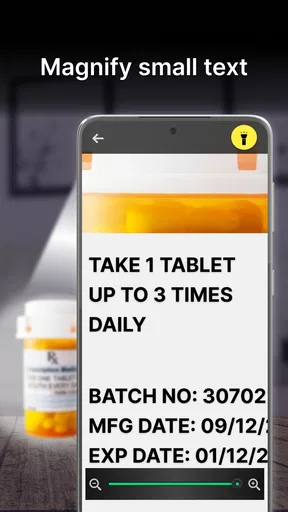
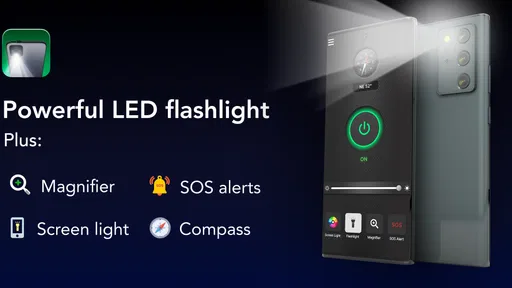
I can see this working well for someone who wants a straightforward torch and does not want to learn a complicated interface. It is also a reasonable option for a household phone used by people of different ages, since a clearly visible main control is easier to explain than a string of settings. The app’s store summary also points to a magnifying-glass launcher, which may appeal if you sometimes need help inspecting small print or a tiny label; the flashlight remains the central reason I would consider installing it.
On the other hand, if your phone already offers a convenient flashlight button in its quick settings or lock-screen controls, that built-in option may be faster and avoids adding another app. A separate utility makes more sense when its launcher access is easier for you, or when you prefer a dedicated screen for light-related controls. People who need a high-powered beam, a rugged device, or a long-running light should choose purpose-built hardware instead.
Checking the fit with your device
The current version is 3.15.0, and the app requires Android 10 or later. That makes the operating-system requirement worth checking before you install, especially on an older spare phone you hope to keep as an emergency device. The app has more than a million installs and around 11,000 reviews, but those figures do not guarantee that it will behave identically on every model: camera hardware and manufacturer software can affect how a torch works.
If the light does not respond, I would first close any app that may be using the camera, then reopen the flashlight tool and try again. If that does not help, check that the phone’s own torch control works. This simple comparison helps separate an app-specific hiccup from a device or LED issue. Avoid repeatedly tapping controls without checking the result, since the light may already be on even when you are focused on the screen.
Small decisions that make it more useful
Before relying on it during a power cut, try the app in a familiar room: open it, turn the light on, locate the off control, and confirm the beam reaches what you need. You can also decide in advance where the phone will live overnight and whether you can reach it without walking through a dark room. These are modest preparations, but they make a simple utility more useful than installing it and assuming you will remember its controls later.
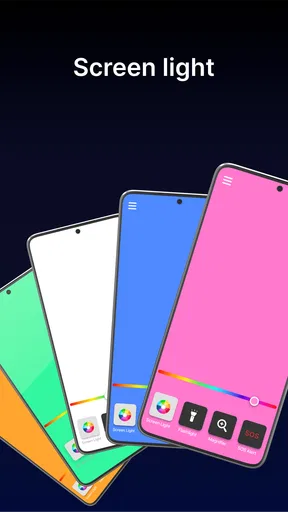
The SOS and strobe options are available for situations where a steady beam is not the only kind of light you want. I would treat them as situational extras, not as a guarantee of rescue or a substitute for a recognized emergency signal. A flashing light can be uncomfortable or distracting to people nearby, so use it deliberately and avoid pointing it at someone’s eyes. For ordinary household searching, a steady torch is generally the more practical choice.
Let There Be Light!
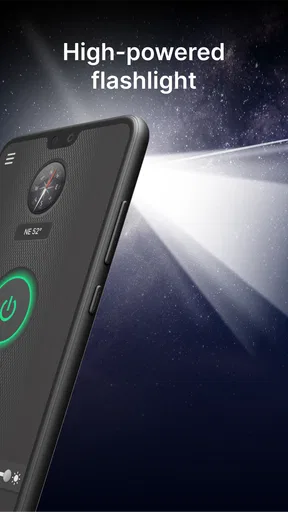
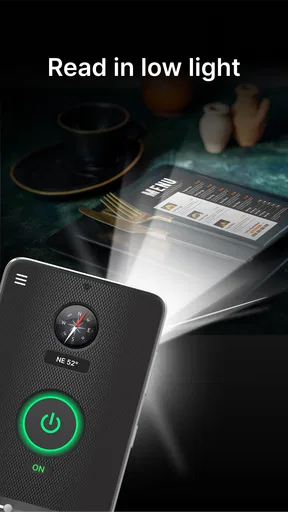
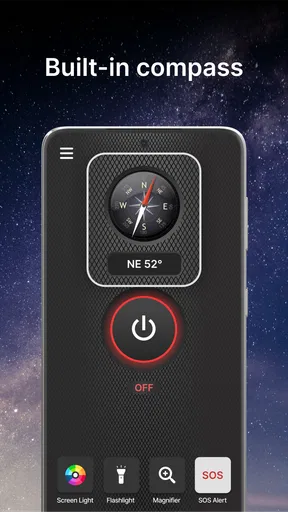
Brightest Flashlight Launcher does exactly what it says on the tin—turns your phone into a powerful flashlight with just a tap. The app launches with a simple and clean interface, making it super easy to use. You don’t need a PhD to figure this one out. Just tap the big power button, and voilà, instant light!
Design and Usability
The design is minimalist, which I personally love. There’s no clutter, just a big button that does the job. Even in a panic, you won’t miss it. The app doesn’t come with unnecessary bells and whistles, just pure functionality. This makes it incredibly straightforward for users of all ages.
Battery Life and Performance
Now, you might be wondering about the battery consumption. I tested it out, and the app is fairly efficient. It does use your camera’s LED light, which can be a drain if left on for long periods. But for quick tasks like finding your keys or checking under the bed, it’s perfect.
Extra Features
While the main feature is the flashlight, the app does offer a few extras. There’s a built-in SOS mode, which can be a lifesaver in emergencies. Plus, there’s a strobe light function. I found it amusing at a party, though it might not be everyone’s cup of tea.
Privacy and Permissions
I know privacy is a big deal for many users, and rightly so. The app asks for minimal permissions, mainly accessing your camera for the LED light. It doesn’t snoop around your personal data, which is a huge plus in my book.
Final Thoughts
Overall, Brightest Flashlight Launcher is a handy little app to have on your phone. It’s reliable, simple, and does what it promises without any fuss. If you’re looking for a no-nonsense flashlight app, this one’s worth a download.
Whether you're navigating a blackout or just need a quick light source, this app has got your back. So, go ahead, give it a try, and never be left in the dark again!
Pros
- Intuitive and easy-to-use interface.
- Minimal impact on battery life.
- Fast activation with one tap.
- Compatible with multiple devices.
- No unnecessary permissions required.
Cons
- Contains in-app advertisements.
- Limited customization options.
- Requires occasional updates.
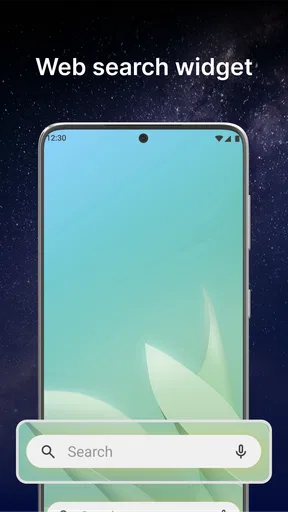
- No widget support available.
- May not work on older devices.
FAQs for Brightest Flashlight Launcher
What features does the Brightest Flashlight Launcher offer?
The Brightest Flashlight Launcher combines the functionality of a powerful flashlight with an intuitive launcher interface. It offers customizable themes, quick access to apps, and various flashlight modes, including strobe and SOS. Users can also enjoy a battery-saving mode and widget support, making it a versatile tool for daily use.
Is the Brightest Flashlight Launcher safe to use on my device?
Yes, the Brightest Flashlight Launcher is designed with user safety in mind. It requires minimal permissions and does not access sensitive information. Users are encouraged to download the app from official sources like the Google Play Store or Apple App Store to ensure they receive the legitimate version.
How does the app affect battery life and performance?
While the flashlight function can be a battery drain, the Brightest Flashlight Launcher is optimized to minimize impact on battery life. It includes a battery-saving mode and efficient coding to ensure your device’s performance remains smooth, even with prolonged use of the flashlight and launcher features.
Can I customize the Brightest Flashlight Launcher to suit my preferences?
Absolutely! The Brightest Flashlight Launcher allows extensive customization, including changing themes, icons, and layouts. Users can personalize the launcher to match their style and preferences, ensuring a unique and user-friendly experience tailored to individual needs.
Is the Brightest Flashlight Launcher compatible with all devices?
The Brightest Flashlight Launcher is compatible with most modern Android and iOS devices. However, users should check the app’s requirements and their device’s specifications to ensure compatibility. Regular updates are made to support a wide range of devices and operating system versions.


